
This site is supported by our readers. We may earn a commission, at no cost to you, if you purchase through links.

Your floor doesn’t clean itself, but a Roomba gets pretty close. These robot vacuums have evolved from bumping novelties into smart cleaning machines that map your home, dodge obstacles, and empty their own bins.
The best Roomba models now deliver suction power that rivals traditional vacuums, remove over 95% of debris across surfaces, and run for hours without supervision. Whether you’re dealing with pet hair on carpet, daily dust on hardwood, or just want your evenings back, the right robot vacuum transforms cleaning from a chore into background noise.
The challenge isn’t finding a Roomba that works—it’s picking the one that matches your floors, budget, and lifestyle without overpaying for features you won’t use.
Table Of Contents
- Key Takeaways
- Best Roomba Models for Every Home
- 1. Roomba j9+ Self Emptying Robot Vacuum
- 2. iRobot Roomba Vacuum and Mop Combo
- 3. iRobot Braava Jet M6 Robot Mop
- 4. Roomba i3+ EVO Robot Vacuum
- 5. Roomba 205 DustCompactor Robot Vacuum Cleaner
- 6. Shark AI Ultra Robot Vacuum
- 7. Eufy Omni C20 Robot Vacuum Mop
- 8. Roborock Qrevo S5V Robot Vacuum Mop
- 9. Ecovacs Deebot X8 Pro Omni
- Key Features That Set Roomba Apart
- Performance and Cleaning Power Comparison
- Roomba Series Breakdown and Upgrades
- Smart Home Integration and Controls
- Maintenance Tips for Optimal Roomba Performance
- How to Choose The Best Roomba for You
- Roomba Performance Metrics and User Ratings
- Frequently Asked Questions (FAQs)
- Can Roomba vacuums navigate dark rooms?
- Are Roomba dustbins dishwasher safe?
- How does Roomba handle thick carpets?
- Can Roomba replace traditional vacuuming entirely?
- Will Roomba work without Wi-Fi connectivity?
- How long does a Roomba battery last?
- Can Roombas handle thick carpets and rugs?
- Are Roomba replacement parts expensive to buy?
- Do Roombas work well in multi-story homes?
- Whats the warranty coverage on Roomba models?
- Conclusion
Key Takeaways
- Roomba models range from budget options under $300 (like the 675) to premium self-emptying units over $800 (like the S9+), with mid-range models offering the best balance of smart features and cleaning power for most homes.
- Pet owners should prioritize models with twin rubber brushes and high-efficiency filters—the j9+ and S9+ both remove over 95% of pet hair across all surfaces while self-emptying bases hold up to 60 days of debris.
- Smart mapping, app control, and voice assistant compatibility transform cleaning from a chore into background automation, but only Wi-Fi-enabled models (i3+ and above) offer room-specific scheduling and no-go zones.
- Regular maintenance like weekly filter cleaning and monthly brush replacement keeps your Roomba running at full suction power, with proper care extending the typical five-year lifespan and preventing the 30% performance drop caused by clogged filters.
Best Roomba Models for Every Home
Finding the right Roomba for your home doesn’t have to feel overwhelming. Whether you’re dealing with pet hair, hard floors, or want a model that mops too, there’s a robot vacuum built for your specific needs.
Here’s a breakdown of the best Roomba models and top competitors to help you take control of your cleaning routine.
1. Roomba j9+ Self Emptying Robot Vacuum
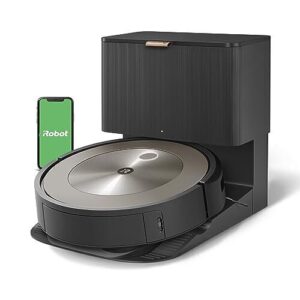
The Roomba j9+ delivers 100% more suction than previous I-series models, tackling pet hair and debris with impressive precision. Smart mapping technology navigates your home efficiently, completing a typical apartment clean in just 73 minutes.
You’ll appreciate the self-emptying dock that stores up to 60 days of dirt, freeing you from constant maintenance. With obstacle avoidance and over 200 minutes of battery runtime, this model earns strong customer reviews for its hands-off convenience and reliable performance across hardwood and carpet surfaces.
Best For: Pet owners and busy households who want a powerful, hands-off cleaning solution that handles daily fur, dust, and debris across multiple floor types without constant maintenance.
- Double the suction power of older models with excellent pet hair pickup on both carpet and hardwood floors.
- Self-emptying dock holds up to 60 days of debris, so you rarely need to think about emptying it.
- Smart navigation maps your home quickly and avoids obstacles, plus you get over 200 minutes of runtime per charge.
- Struggles with high-pile rugs and can get caught on loose fibers or rug corners during cleaning cycles.
- Takes longer to recharge than the previous j7 model, which might be inconvenient for back-to-back cleaning sessions.
- Some users report occasional software glitches and connectivity issues with the app or smart home integrations.
2. iRobot Roomba Vacuum and Mop Combo
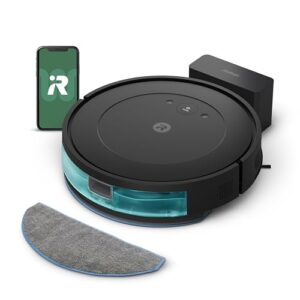
If you want a hybrid robot vacuum that tackles both tasks in one go, the iRobot Roomba Vacuum and Mop Combo delivers solid surface cleaning on hardwood with a 91% pickup rate.
Mopping performance requires multiple passes on sticky messes, and you won’t get smart features like mapping or no-go zones. Navigation limitations mean it cleans randomly rather than methodically.
Combo maintenance stays simple with easy-to-empty bins, but the lack of detergent support and basic obstacle avoidance may test your patience in cluttered spaces.
Best For: Budget-conscious homeowners with primarily hardwood floors who want basic daily cleaning without needing advanced smart features or deep carpet performance.
- Achieves over 91% pickup rates on hardwood floors for both rice and sand, making it reliable for everyday surface debris.
- Simple maintenance with easy-to-empty dustbins and a straightforward design that doesn’t require complicated setup or app management.
- Handles both vacuuming and mopping in one pass with three adjustable water levels for light to moderate cleaning needs.
- Poor carpet performance with only 24% sand pickup and lacks smart mapping or no-go zones for efficient navigation.
- Mopping requires multiple passes on sticky messes and doesn’t support detergent, limiting effectiveness on tough stains.
- Random navigation pattern and near-zero obstacle avoidance score means it frequently gets stuck in cluttered spaces or under low furniture.
3. iRobot Braava Jet M6 Robot Mop
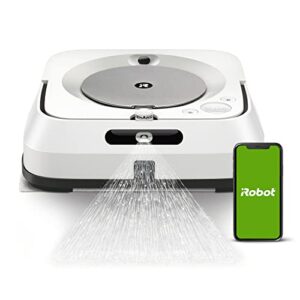
For pure wet mopping, the Braava jet m6 leaves combo models behind with a precision jet spray that cuts through sticky messes on hardwood, tile, and stone. You’ll cover up to 350 square feet per session, thanks to a 150-minute battery life and smart features like vSLAM navigation and Imprint Smart Mapping.
Control it through the iRobot app or voice commands via Alexa and Google Assistant. Users rate it 4 out of 5 stars for quiet operation and app integration, though you’ll need to swap pads frequently and avoid low-clearance rugs.
Best For: Homeowners with large hardwood, tile, or stone floor areas who want a dedicated mopping robot that integrates with smart home systems and can handle daily maintenance cleaning.
- Precision jet spray tackles sticky messes and grime more effectively than combo vacuum-mop units, with coverage up to 350 square feet per session.
- Smart mapping and app control let you schedule cleanings, select specific rooms, and pair with Roomba vacuums for a complete floor-cleaning routine.
- Quiet operation and automatic recharge-and-resume means it can clean your entire home without constant supervision.
- Frequent pad changes and water refills are needed after each cleaning session, adding to maintenance time.
- Gets stuck on rugs and struggles with low-clearance areas or high thresholds between rooms.
- Some users report navigation glitches and tire wear issues over time, requiring occasional troubleshooting.
4. Roomba i3+ EVO Robot Vacuum
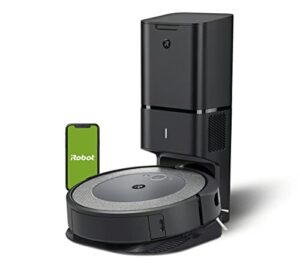
If you want Clean Base convenience without breaking the bank, the Roomba i3+ EVO delivers 10 times the suction of the 600 series and a self-emptying dock that holds 60 days of dirt.
You’ll get smart mapping for room-by-room control through the app, plus strong pet hair pickup on hard floors and low-pile carpets.
Expect some noise during emptying cycles, and know it works best with single-floor layouts. Starting at $549, it undercuts the i7+ while competing directly with Shark and Roborock in the midrange robot vacuum market.
Best For: Pet owners and busy households who want hands-off cleaning with automatic dirt disposal but don’t need multi-floor mapping or premium features.
- Self-empties into a 60-day dock so you can forget about vacuuming for weeks at a time.
- 10X suction power handles pet hair well on hard floors and standard carpets.
- Smart mapping lets you target specific rooms through the app or voice commands.
- Gets loud during the 30-second bin-emptying cycle at the dock.
- Only stores one floor map, so multi-story homes need manual carries or remapping.
- May struggle with high-pile carpet in one pass and can lose its map occasionally.
5. Roomba 205 DustCompactor Robot Vacuum Cleaner
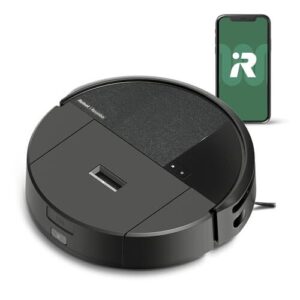
If onboard storage is your top priority, the Roomba 205 DustCompactor offers 60 days of hands-free cleaning in a compact robot vacuum design. Its internal compaction system crushes debris into a 1.82-liter dustbin—larger than most competing robot vacuums—while 7000 Pa suction power handles pet hair and embedded dirt across multiple surfaces.
You’ll get precise LiDAR navigation, over three hours of battery life, and full app integration with Alexa, Google Assistant, and Siri. Noise averages 78 dB, and obstacle avoidance lags behind newer models, but the dustbin capacity delivers real liberation from daily maintenance.
Best For: People who want to empty their robot vacuum as rarely as possible—ideal if you have pets, a busy schedule, or just hate dealing with dustbins every few days.
- The 60-day dustbin capacity with active compaction means you can genuinely forget about emptying it for weeks, even with pets or high-traffic areas.
- Strong 7000 Pa suction tackles pet hair, dirt, and debris across hardwood, tile, and carpet without multiple passes.
- Smart app control and voice assistant compatibility make it easy to schedule cleanings, set no-go zones, and start runs from anywhere.
- Obstacle avoidance isn’t as sharp as newer LiDAR models, so it may bump into furniture or miss tight spaces occasionally.
- Emptying the compacted dustbin can be messier than bagged systems since debris is tightly packed and can spill.
- At 78 dB, it’s noticeably louder than quieter competitors, especially on higher suction settings.
6. Shark AI Ultra Robot Vacuum
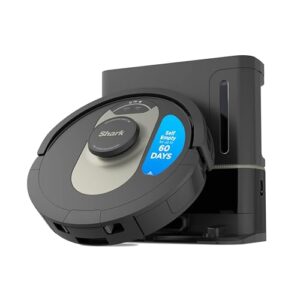
If you need a Roomba alternative that delivers serious cleaning performance, the Shark AI Ultra Robot Vacuum combines 360° LiDAR navigation with Matrix Clean technology to cover every corner.
You’ll get 97.8% debris removal across all floor types and a bagless self-emptying base that holds 60 days of dirt. Battery runtime reaches 120 minutes with recharge-and-resume functionality.
Smart features include app scheduling, Alexa compatibility, and virtual no-go zones, though obstacle avoidance trails newer robot vacuums in real-world tests.
Best For: Homeowners with pets who want a reliable robot vacuum that empties itself and handles large spaces without constant supervision.
- Cleans impressively well with 97.8% debris removal across all floor types, hitting nearly 100% on hardwood.
- Self-emptying base holds 60 days of dirt and doesn’t require buying replacement bags.
- Long 120-minute battery life with recharge-and-resume means it can tackle whole-home cleaning in one go.
- Obstacle avoidance is hit-or-miss—failed to avoid 3 out of 4 objects in testing.
- Takes longer to clean than average robot vacuums at 70-80 minutes for 1,000 square feet.
- Can lose its place or forget mapped rooms if you pick it up mid-clean.
7. Eufy Omni C20 Robot Vacuum Mop
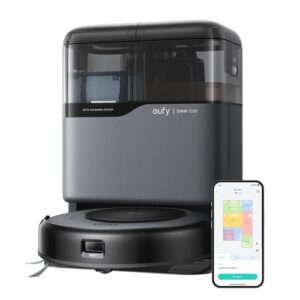
For thorough hands-free cleaning, the Eufy Omni C20 delivers impressive value at around $380. You’ll get 7,000 Pa suction and spinning mop pads that rotate 180 times per minute to tackle tough stains.
The all-in-one station takes care of emptying, washing, and drying automatically, cutting down your maintenance time. Runtime reaches 132 minutes in standard mode, covering up to 1,786 square feet, though simultaneous vacuuming and mopping reduces that to roughly 400 square feet.
With 4.5-star ratings across robot vacuum reviews, it’s a solid multisurface cleaning option for pet owners.
Best For: Pet owners and busy households who want hands-free cleaning across multiple floor types without spending premium prices.
- The all-in-one station handles emptying, mop washing, and drying automatically, so you barely need to touch it between cleanings.
- Strong 7,000 Pa suction combined with spinning mop pads that hit tough stains 180 times per minute gives you solid performance on both carpets and hard floors.
- At around $380, you’re getting flagship features like LiDAR navigation and auto-maintenance at nearly half the cost of competing models.
- Runtime drops significantly to about 400 square feet when you’re vacuuming and mopping at the same time, which means more frequent returns to base for larger homes.
- Some users report issues with the dirty water tank leaking or malfunctioning, requiring extra attention despite the hands-free design.
- It only works with 2.4GHz Wi-Fi and can get tangled in cords or stuck on thin rugs, so you’ll need to do some prep work before each cleaning cycle.
8. Roborock Qrevo S5V Robot Vacuum Mop
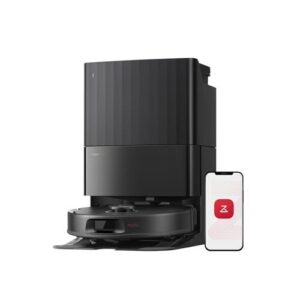
If you’re craving top-tier cleaning power without breaking the bank, the Roborock Qrevo S5V combines 12,000Pa suction performance with dual spinning mop pads for outstanding mopping efficiency. Its obstacle avoidance system uses structured light sensors, though it scores below average in benchmarks.
The all-in-one dock takes care of docking automation—emptying, washing, and drying mops for seven weeks hands-free. User ratings sit above 4.5 stars, with customer reviews praising its 92% pet hair removal.
At $899.99, it’s a serious contender among robot vacuums for large, pet-filled homes.
Best For: Pet owners with large homes who want powerful suction, effective mopping, and minimal maintenance through a smart dock that handles emptying, washing, and drying automatically.
- Exceptional 12,000Pa suction removes 92% of pet hair and debris on carpet, ranking in the top 4 out of 150 robot vacuums tested
- All-in-one smart dock provides 7 weeks of hands-free operation with auto-emptying, mop washing, and warm air drying
- Zero-tangle brush system performs significantly better than average (0% vs 38% tangle rate), making it ideal for homes with long hair and pets
- Obstacle avoidance scores below average in testing (1.25 vs 3.41), meaning it may struggle with certain objects like mirrors or dark surfaces
- Requires Roborock-branded cleaning solution for mopping, which may have limited availability in some regions
- Battery life may not cover very large areas in a single session, requiring mid-clean recharging for extensive floor plans
9. Ecovacs Deebot X8 Pro Omni
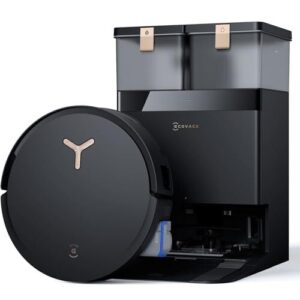
The Ecovacs Deebot X8 Pro Omni brings 18,000Pa suction power, ranking in the top 10 among 100+ robot vacuums tested. Its cleaning performance shines with 99.99% rice pickup on carpet and 82.25% sand removal on hardwood.
The navigation system uses dToF LiDAR for efficient mapping, while obstacle avoidance relies on 3D sensors. Battery life hits 291 minutes in silent mode, covering up to 311 square meters.
App integration includes Alexa and Google Assistant. At this power level, it’s a standout choice for thorough, hands-free cleaning.
Best For: Households with pets, high-traffic areas, or large spaces that need powerful suction and automated mopping without constant maintenance.
- Industry-leading 18,000Pa suction removes 99.99% of debris from carpets and handles hardwood efficiently
- Long 291-minute battery life covers up to 311 square meters per charge, ideal for larger homes
- Smart self-maintenance with hot water mop washing, auto-drying, and 3-liter dust bag reduces hands-on upkeep
- App can be buggy and frustrating to navigate for scheduling or customization
- Noisy during high-power operation, which may disrupt quieter households
- Requires stable internet for smart features and customer support may be limited in some regions
Key Features That Set Roomba Apart
Roomba didn’t become the top-selling robot vacuum by accident. The brand packed its models with features that actually make a difference in how you clean your home.
Let’s look at the technologies that give Roomba an edge over the competition.
Self-emptying Base Technology
Self-emptying dock technology takes the hassle out of vacuuming by automatically transferring debris from your Roomba’s dust bin into a larger base. Models like the i3+, j7+, and s9+ store up to 60 days’ worth of dirt before you need to swap out the bag.
This self-emptying functionality means you can run your robot daily without lifting a finger, making it a significant advantage for busy households. The Roomba i7+ boasts advanced smart mapping for specific cleaning.
WiFi Connectivity and App Control
WiFi connectivity unlocks full control over your Roomba through the iRobot Home app, transforming it into a true smart home device. Most models need a 2.4 GHz network, while newer j7+ and j9+ units work with both 2.4 and 5 GHz bands. You’ll need to download the app to begin the iRobot HOME setup.
Here’s what app control brings you:
- App scheduling lets you program daily cleaning times so your Roomba runs automatically
- Per-room controls allow targeted cleaning of specific areas from the map interface
- Multi-floor mapping stores up to five separate layouts for homes with multiple stories
- Status monitoring sends real-time updates and maintenance alerts straight to your phone
Smart Mapping and No-Go Zones
Sophisticated navigation systems with smart mapping technology let your Roomba learn your home’s layout, achieving up to 95% cleaning coverage in mapped areas. Mapping accuracy reaches 20–30 centimeters for precise room-level scheduling, though navigation errors average around 5%.
You can create unlimited digital no-go zones through the app in under three minutes per area, blocking off pet bowls or delicate spaces with 98% accuracy.
Hybrid Vacuum and Mop Capabilities
Hybrid vacuum and mop models handle both jobs in one pass, removing over 95% of debris on hard floors while mopping grout lines effectively.
You’ll get three suction levels and three water settings to customize cleaning, with 220 ml tanks covering 500–700 square feet per fill.
Battery runtime reaches up to 200 minutes, letting you clean your entire apartment on one charge without switching devices.
Performance and Cleaning Power Comparison
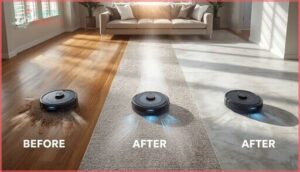
Performance numbers tell you what a Roomba can actually do in your home. The best models deliver impressive debris removal rates, tackle pet hair without breaking a sweat, and handle multiple floor types with ease.
Let’s compare how different Roombas stack up in terms of real cleaning power.
Suction Power and Debris Removal Rates
When you’re comparing robot vacuum models, suction power and debris removal rates tell you what actually matters: how clean your floors will be. The Roomba j9+ delivers 100% more suction than I-series models and reaches 96.4% debris removal across surfaces. Meanwhile, the S9+ boasts 40x the suction of the 600 series, achieving 99% debris removal in testing.
| Model | Suction vs. Noise | Debris Removal Rate |
|---|---|---|
| Roomba j9+ | 67.7 dBA (high suction) | 96.4% average |
| Roomba S9+ | Higher suction, square design | 99% across 12 tests |
| Roomba 675 | Budget-friendly baseline | 94% average |
Floor type impact varies greatly. On hardwood, the j9+ hits 98% debris composition removal, while the S9+’s unique square design excels at corner cleaning. Runtime correlation shows higher suction extends cleaning cycles but improves debris lift—the j9+ runs 113 minutes per cycle. Power Boost features in select models automatically increase suction for carpets, giving you deeper cleaning performance without manual adjustments.
Pet Hair and Multi-Surface Cleaning
If you share your home with furry companions, pet hair removal becomes your biggest cleaning challenge. The Roomba j7+ and s9+ consistently clear over 95% of pet hair from both hard floors and carpets, while the Plus 505 Combo leaves virtually zero strands behind. Hair tangle prevention is nearly perfect—rubber brush rolls reduce tangling to under 2%, extending brush maintenance intervals to 60 days.
| Model | Pet Hair Pickup | Multi-Surface Transitions |
|---|---|---|
| Roomba s9+ | 95%+ on all surfaces | Auto-boost for carpets |
| Roomba j7+ | 95%+ removal rate | Adaptive navigation |
| Plus 505 Combo | Perfect pickup | Auto lift mop technology |
Multi-surface cleaning adapts automatically as your Roomba moves between tile, hardwood, and rugs. The s9+ increases suction when it detects carpet, while Combo models adjust brush settings on the fly. Dander allergen reduction improves noticeably with daily runs, and pet owner satisfaction ratings exceed 90% across flagship models.
Mopping Functionality in Combo Models
When you’re weighing mopping capabilities in combo models, retraction technology makes all the difference. The Combo j7+ lifts its mop pad completely away from carpets—preventing moisture damage—while most robot vacuums barely raise theirs a few millimeters.
Sticky substances and residue removal improve dramatically with multi-surface cleaning modes, and floor coverage exceeds 90% in mapped areas. The Combo Essential cleared 91% of rice and sand during hard floor trials, outperforming pricier competitors.
| Model | Mopping Score | Residue Removal | Carpet Protection |
|---|---|---|---|
| Combo j9+ | 18/20 | Near-complete | Full retraction |
| Combo 10 Max | 2.13/5 | 86 points | Auto-retract tech |
| Combo Essential | High performer | 91%+ on debris | Integrated mopping |
| Braava Jet M6 | Dedicated mop | Better on spills | N/A (mop only) |
| J7+ Combo | 81.3% average | 90% pickup rate | Complete lift system |
Roomba Series Breakdown and Upgrades
Roomba’s lineup spans from affordable entry models to premium powerhouses, and knowing where each series stands helps you find the right fit.
Each tier brings specific upgrades in navigation, suction, and smart features that justify the price jump.
Let’s break down what you get at every level, so you can decide where to invest your money.
Budget-Friendly Roomba 675 and I3+
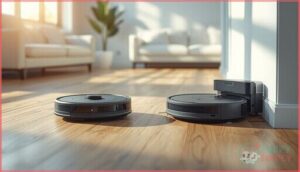
If you’re hunting for budget robot vacuums that don’t skimp on smarts, these two deliver. The Roomba 675 offers a strong value proposition at $199–$279, featuring Wi-Fi connectivity and 95% cleaning performance.
The Roomba i3 EVO steps up with self-emptying, systematic navigation, and a filtration system capturing 99% of allergens—often discounted to $399–$499. Both budget buys provide 75–90 minute battery runtime, though only the i3+ resumes cleaning after recharging.
Advanced Navigation in J7+ and J9+
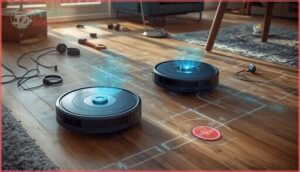
The Roomba J7+ and J9+ bring sophisticated navigation systems that think like you do.
The J7+ uses PrecisionVision Navigation with sensor technology to nail obstacle avoidance—dodging cords, headphones, and pet waste with 100% accuracy in tests.
The J9+ maps homes 7 times faster, tackles clutter brilliantly, and learns room layouts with pinpoint navigation accuracy.
Both support no-go zones and multi-level mapping for real control.
Premium Features in S9+ Series
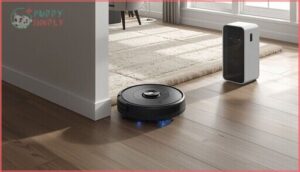
The S9+ stands at the top of iRobot’s lineup with features that justify the premium price tag.
- 40x suction power compared to the 600 series, with automatic Power Boost on carpets
- D-shaped design with PerfectEdge Technology reaches deep into corners and along baseboards
- Clean Base holds 30 dustbins of debris with AllergenLock bags trapping 99% of allergens
Imprint Smart Mapping stores multiple floor plans with room-specific scheduling and Keep Out Zones.
High-Performance Combo Models
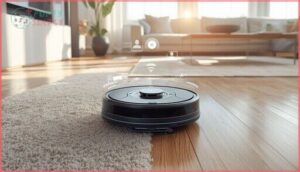
If you want a robot that truly does it all, Combo models like the j9+ deliver 70x the suction of older 600 series units while mopping hard floors. SmartScrub doubles scrubbing power with back-and-forth motion, and Auto-Retract lifts the mop pad away from carpets automatically.
You’ll get 99% allergen removal, precision water control, and seven-times-faster mapping speed than previous generations—all controlled by voice through Alexa or Google Assistant.
Smart Home Integration and Controls
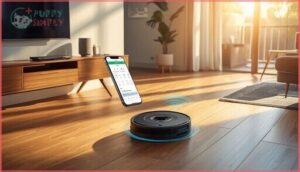
Your Roomba doesn’t work in isolation—it connects with the smart home tools you already use. From voice commands to scheduled cleanings you can manage from your phone, these features give you full control without lifting a finger.
Here’s how Roombas fit into your connected home and make cleaning easier.
Voice Assistant Compatibility (Alexa, Google, Siri)
If you’re building a smart home, you’ll want voice control that actually works. Most Wi-Fi Roombas support Alexa and Google Assistant for basic commands like start, pause, and dock.
Alexa commands tend to be the most reliable, while some users report Google issues with newer Combo Essential models. Siri limitations remain—Apple integration only covers simple tasks.
Model integration improves with higher-end series like the j7+ and j9+, reflecting broader adoption patterns as smart home ecosystems mature.
App-Based Scheduling and Monitoring
Beyond voice commands, the iRobot app gives you full remote scheduling control from anywhere. You can set cleaning routines, track real-time progress with color-coded maps, and get maintenance alerts before problems start.
Nearly 65% of robotic vacuum buyers prioritize app scheduling features, and engagement jumped 43% after recent upgrades.
Custom automation lets you target specific rooms and adjust intensity per zone.
Personalized Cleaning With Imprint™ Smart Mapping
Imprint Smart Mapping lets your Roomba learn your home’s layout and store up to 10 floor plans. You can label rooms, set no-go zones, and schedule cleanings by room—perfect for targeting the kitchen after breakfast or skipping the playroom during naptime.
Sophisticated navigation systems boost cleaning efficiency by 30% compared to older models, and adaptive learning means your smart home gets smarter with every run.
Maintenance Tips for Optimal Roomba Performance
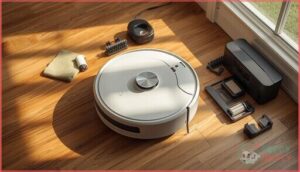
Your Roomba works hard to keep your floors clean, but it needs a little care from you to stay in top shape.
Regular maintenance doesn’t take much time, and it makes a big difference in how well your robot vacuum performs.
Here’s what you need to do to keep your Roomba running smoothly for years.
Dust Bin and Filter Cleaning
Keeping your Roomba’s dust bin and filter clean directly impacts suction power—clogged filters can cut performance by 30%. You should empty the dust bin after every cleaning cycle for consistent dust removal.
Clean the filter weekly by tapping off debris, and replace it every two months. Homes with pets benefit from twice-weekly filter cleaning.
This simple robot vacuum maintenance routine maintains bin capacity and prevents sensor errors.
Brush and Sensor Maintenance
Once per week, clean your main brush to prevent hair tangles that can drop performance to just 10% of normal cycles. Pet owners need twice-weekly sessions for error prevention.
Your robot vacuum maintenance checklist:
- Remove tangled hair from rollers after major cleaning jobs
- Wipe cliff sensors monthly with a dry cloth for accurate navigation
- Inspect brush sprockets every two weeks in multi-pet homes
- Clean charging contacts to avoid sensor technology failures
Dirty sensors cause mapping errors and frequent stoppages.
Replacing Filters, Brushes, and Other Parts
Filter replacement every two months keeps your Roomba breathing clean air, while dual brushes last 6–12 months under normal use. Side brushes need swapping every three months.
Official replacement parts cost $65 for complete kits in 2024, up from $36 in 2023. Third-party options run 66% cheaper but may have compatibility issues with newer models manufactured after mid-2024.
How to Choose The Best Roomba for You
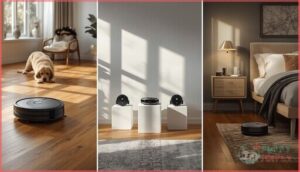
Picking the right Roomba comes down to three things: what you can spend, what you need it to do, and how well it actually works in real homes. Your budget sets the baseline, but your specific situation—like pets that shed everywhere or allergies that demand spotless floors—determines which features matter most.
The right Roomba depends on your budget, your home’s specific challenges, and how the model actually performs in real-world conditions
Let’s break down how to match your needs with the model that’ll actually make your life easier.
Matching Features to Budget
Your budget directly shapes which Roomba features you can access. Budget robot vacuums under $300, like the Roomba 694 or Combo Essential at $274.99, deliver solid cleaning without self-emptying or sophisticated mapping.
Mid-range models ($350-$600) add app control and improved navigation.
Premium tiers above $800 provide self-emptying bases and AI obstacle avoidance. Weigh feature trade-offs against long-term cost when comparing robot vacuum reviews.
Performance Needs (Pets, Allergies, Floor Types)
Your home’s specific challenges determine which Roomba you need. Pet owners benefit from models with twin rubber brushes and high-efficiency filters—the S9+ removes 99% of pet hair on carpets. For allergy sufferers, sophisticated AeroForce filtration captures particles down to 10 microns. Multi-surface homes need automatic suction adjustment between hard floors and deep carpet cleaning. Match these priorities to your budget.
- Pet hair removal – Twin rubber brushes prevent tangling and maintain consistent cleaning performance
- Allergen filtration – High-efficiency systems reduce airborne particles for sensitive households
- Multi-surface cleaning – Automatic detection adjusts power between hardwood performance and carpet
- Deep carpet cleaning – Power Boost modes increase suction for embedded debris extraction
Comparing Reviews and Customer Satisfaction
Roomba earned a 78 out of 100 on the 2025 customer satisfaction index, outscoring competitors in cleaning performance evaluation.
But customer reviews reveal patterns you should know. Users aged 46-50 report 40% very satisfied ratings, while the 56-60 group shows 30% very dissatisfied—often citing customer service experiences.
Long-term satisfaction peaks at 1-2 years of ownership. Check model-specific issues and competitor comparisons before buying.
Roomba Performance Metrics and User Ratings
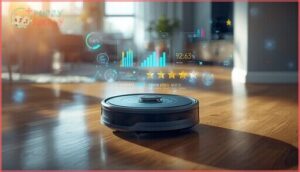
Numbers don’t lie when you’re trying to figure out which Roomba actually delivers on its promises. You need real performance data and honest user feedback to make a smart choice, not just marketing hype.
Here’s what the lab tests, customer satisfaction surveys, and expert reviewers reveal about how these robots perform in the real world.
Cleaning Performance Test Results
Cleaning performance tests separate the winners from the also-rans in robot vacuum buying guide evaluations. Laboratory data shows how each model addresses real-world messes, giving you the hard numbers before you spend a dime.
- The Roomba j9+ snagged 88.4% debris pickup on hard floor surfaces and an impressive 95.8% on carpets
- Pet hair removal crowned the Max 705 as top performer across all cleaning performance tests
- Mopping tests revealed the Combo j9+ excels at dried-on stains and grout line cleaning
- Navigation outcomes placed the j9+ above average at 3.75 out of 5 for obstacle avoidance
These cleaning performance evaluations on carpets and hard floors give you the transparency you need to match a Roomba to your home’s demands.
Customer Satisfaction Scores
Satisfaction scores tell a different story than cleaning performance tests. Roomba earned a 78 out of 100 in the 2025 American Customer Satisfaction Index, trailing Samsung, Shark, and Dyson.
Service impact hit brand loyalty hard—customer support delays and unresolved issues dragged down NPS trends.
Roborock edged ahead by two points in feature satisfaction, showing competitive analysis matters when you’re weighing product reviews against your robot vacuum buying guide priorities.
Expert Reviews and Reliability Ratings
Professional testing reveals deeper insights than user ratings alone. PCMag awarded the j9+ their Editors’ Choice in 2025, while Consumer Reports crowned the Max 705 the highest-performing robot vacuum in their expert testing. RTINGS praised the S9’s suction leadership.
Model lifespan averages five years with routine maintenance—component reliability depends on those quarterly brush and filter swaps. iRobot’s $30/month subscription services automate replacement delivery, keeping your investment running strong.
Frequently Asked Questions (FAQs)
Can Roomba vacuums navigate dark rooms?
Your robot vacuums can work in darkness, but lighting impacts performance. Models with floor-tracking sensors navigate well without light, while camera-based sophisticated navigation systems need some ambient lighting for best obstacle avoidance technology and mapping accuracy.
Are Roomba dustbins dishwasher safe?
No, your Roomba’s dustbin shouldn’t take the dishwasher route. iRobot warns that high heat warps plastic, damages seals, and voids warranty coverage.
Stick to hand-rinsing with warm water to avoid costly replacement parts. Model differences don’t change these cleaning methods or dishwasher risks.
How does Roomba handle thick carpets?
High-end models like the S9+ deliver strong suction and cleaning performance on carpets, removing embedded debris after multiple passes. Budget models struggle with thick pile.
Navigation ability varies, with premium robot vacuums handling dense fibers better.
Can Roomba replace traditional vacuuming entirely?
Picture coming home after a week away—your floors look tidy, but lift a rug and dust bunnies appear. Robot vacuums maintain cleanliness between deep cleans, but stair navigation issues and deep carpet cleaning gaps mean you’ll still need traditional vacuum cleaners periodically.
Will Roomba work without Wi-Fi connectivity?
Yes, your Roomba works without WiFi connectivity. You’ll lose app control, voice control, and smart home features, but offline functionality keeps basic cleaning running.
Model variations determine what you retain, and rural usage proves reliability without internet.
How long does a Roomba battery last?
Your Roomba’s battery life isn’t carved in stone—lithium-ion batteries in robot vacuums generally deliver 2 to 3 years of reliable cleaning cycles before replacement, offering 60 to 120 minutes runtime depending on your model.
Can Roombas handle thick carpets and rugs?
Most Roombas struggle with carpets thicker than half an inch. Suction power and brush design greatly impact cleaning performance on thick rugs.
For deep-pile carpets, you’ll need alternative solutions or manual vacuuming alongside your robot vacuum.
Are Roomba replacement parts expensive to buy?
Let’s talk money—official Roomba replacement parts can sting your wallet. A full replenishment kit jumped from $36 to $65 in one year. Third-party alternatives? Much cheaper at $20–$
Do Roombas work well in multi-story homes?
Robot vacuums handle multiple floors with manual transfer between levels. Detailed mapping lets you store layouts for each story, while dedicated units eliminate carrying.
User satisfaction hits 87%, though practical limitations like battery life affect cleaning coverage.
Whats the warranty coverage on Roomba models?
Like a handshake deal that’s written down, your Roomba warranty lasts one year in the U.S., covering defects but not consumables like filters.
Extended plans add protection beyond serial number registration and product returns.
Conclusion
Think of your Roomba as a silent partner—it tackles the daily grind while you focus on what matters. The best Roomba for your home depends on your floors, pets, and how hands-off you want to be.
Match features to your actual needs, not marketing hype. Whether you choose budget-friendly automation or premium self-emptying power, you’re buying back time you won’t get from a standard vacuum. That’s the real upgrade.